Downloading NSFW images and GIFs for offline viewing, personal archiving, or backup is something many users want to do—especially when the content is hosted on platforms that don’t offer a built-in download option. Whether the content comes from social media, creator platforms, adult sites, or personal galleries, there are several safe and effective ways to save it.
This guide covers everything from basic techniques to advanced bulk-download tools, including the best method for saving large sets of NSFW images and GIFs efficiently.
1. Right-Click to Save NSFW Images & GIFs
For many websites, saving an image or GIF can be as easy as a single click.
How to do it:
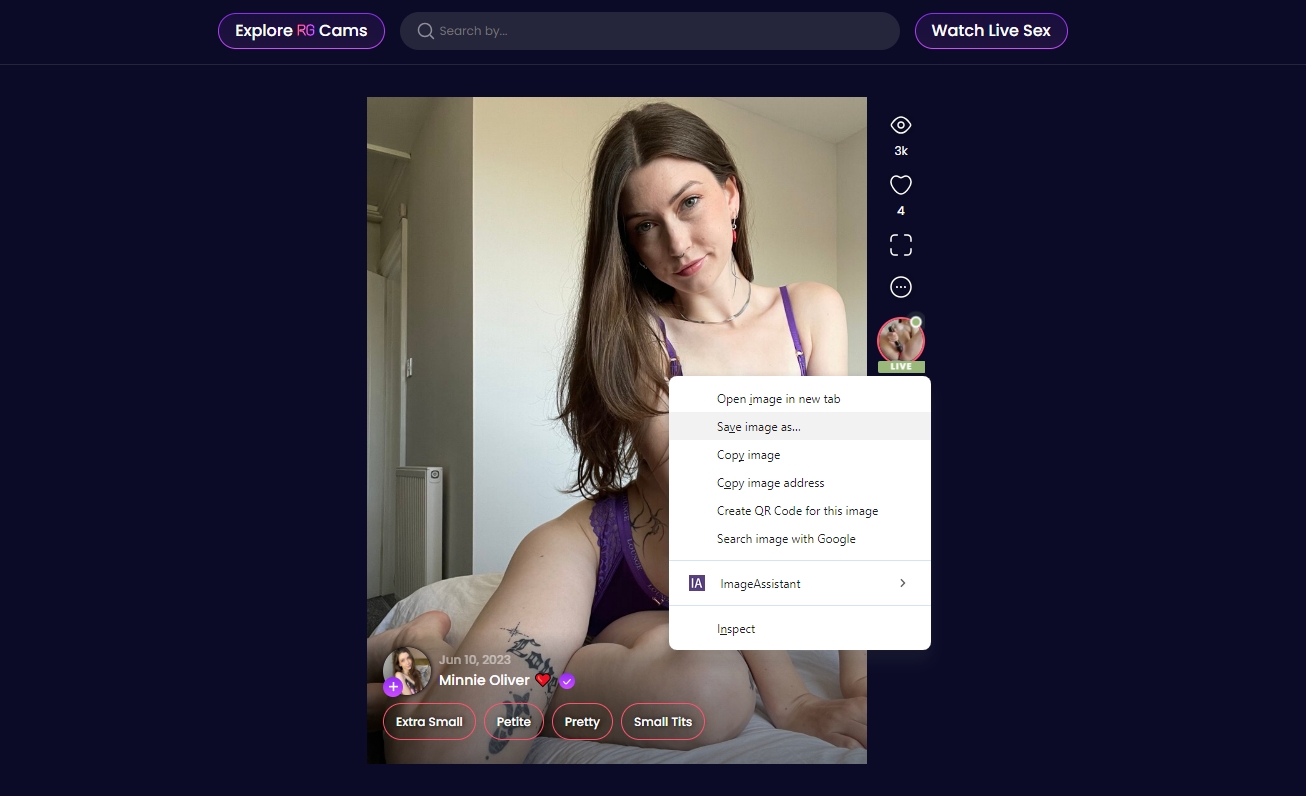
Hover over the NSFW image or GIF > Right-click your mouse > Select “Save image as…” > Choose your folder and save.

優點:
- Very easy for beginners
- Works on many websites
- No additional software needed
缺點
- GIFs may save as static images on some platforms
- Doesn’t work on sites that block right-click
- Inefficient for downloading multiple files
- May save lower-resolution versions
Right-click saving is ideal only for occasional downloads, not for large collections.
2. Using Screenshot Tools
When right-clicking is blocked or when an image is embedded behind JavaScript overlays, taking a screenshot becomes the most direct method.
Best Tools for Screenshots:
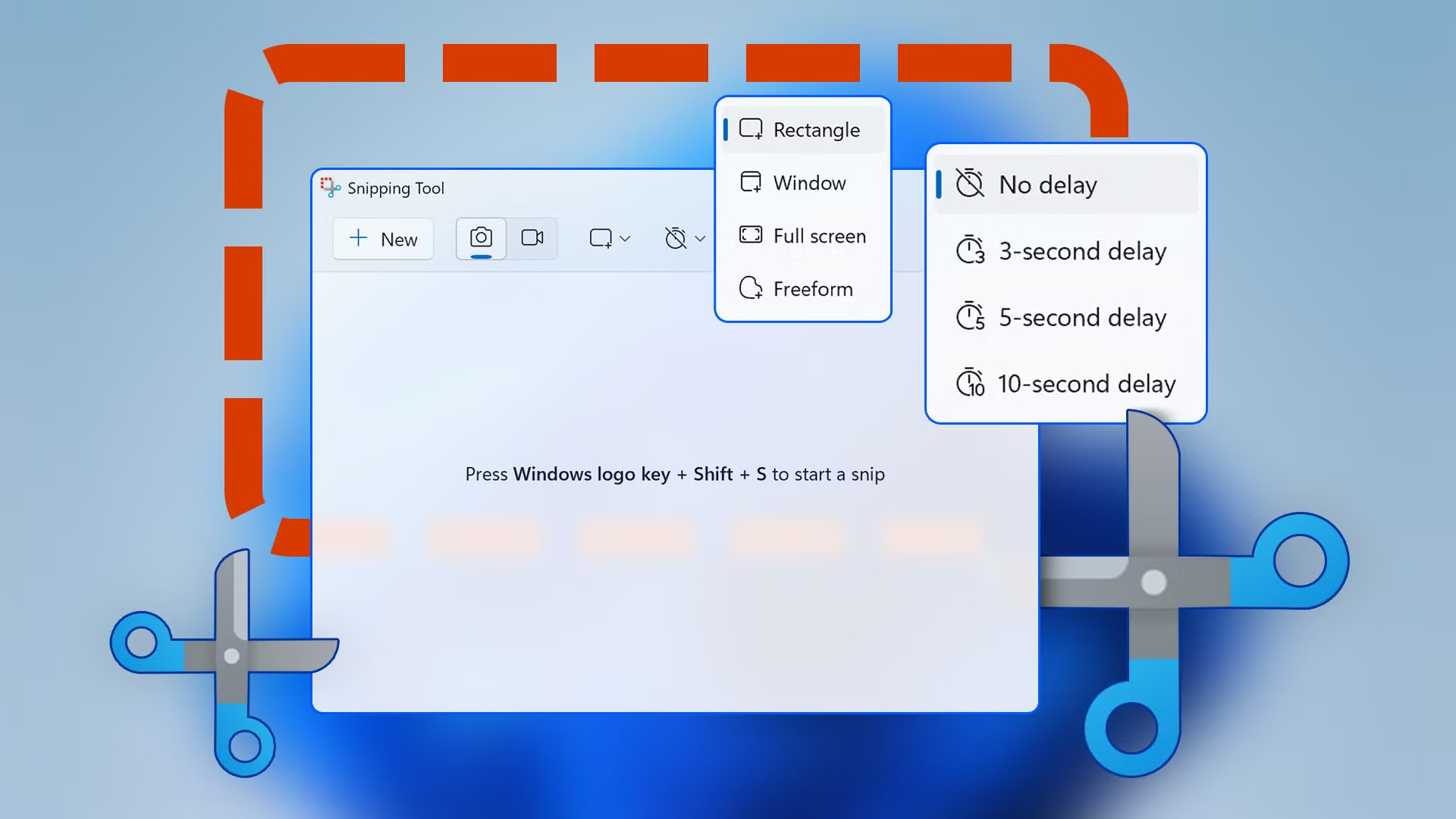
- Windows Snipping Tool
- macOS Screenshot (Shift + Command + 4)
- Lightshot ( Windows /macOS)
- ShareX ( Windows )
- 斯納吉特 (professional tool)
How to save NSFW images with screenshots
Open the NSFW image fullscreen > Capture the screen using your screenshot tool > Save the result to your gallery or computer.

優點:
- Works everywhere
- Can capture hidden elements
- Perfect for single images or small sets
缺點:
- Quality depends on screen resolution
- Not suitable for GIFs
- Time-consuming for many images
- Needs cropping and editing
Screenshot tools are a reliable fallback but are not practical for downloading multiple images or animated content.
3. Using Online Image Downloaders
Online downloaders provide a simple way to retrieve images and GIFs without installing anything. These tools typically allow you to paste the link of an image or webpage, and they detect downloadable media automatically.
Popular Online Image Downloaders:
- IMGDownloader
- 影像擷取器
- EZGIF 下載器
- More online image downloaders for specific websites
How online image downloaders work:
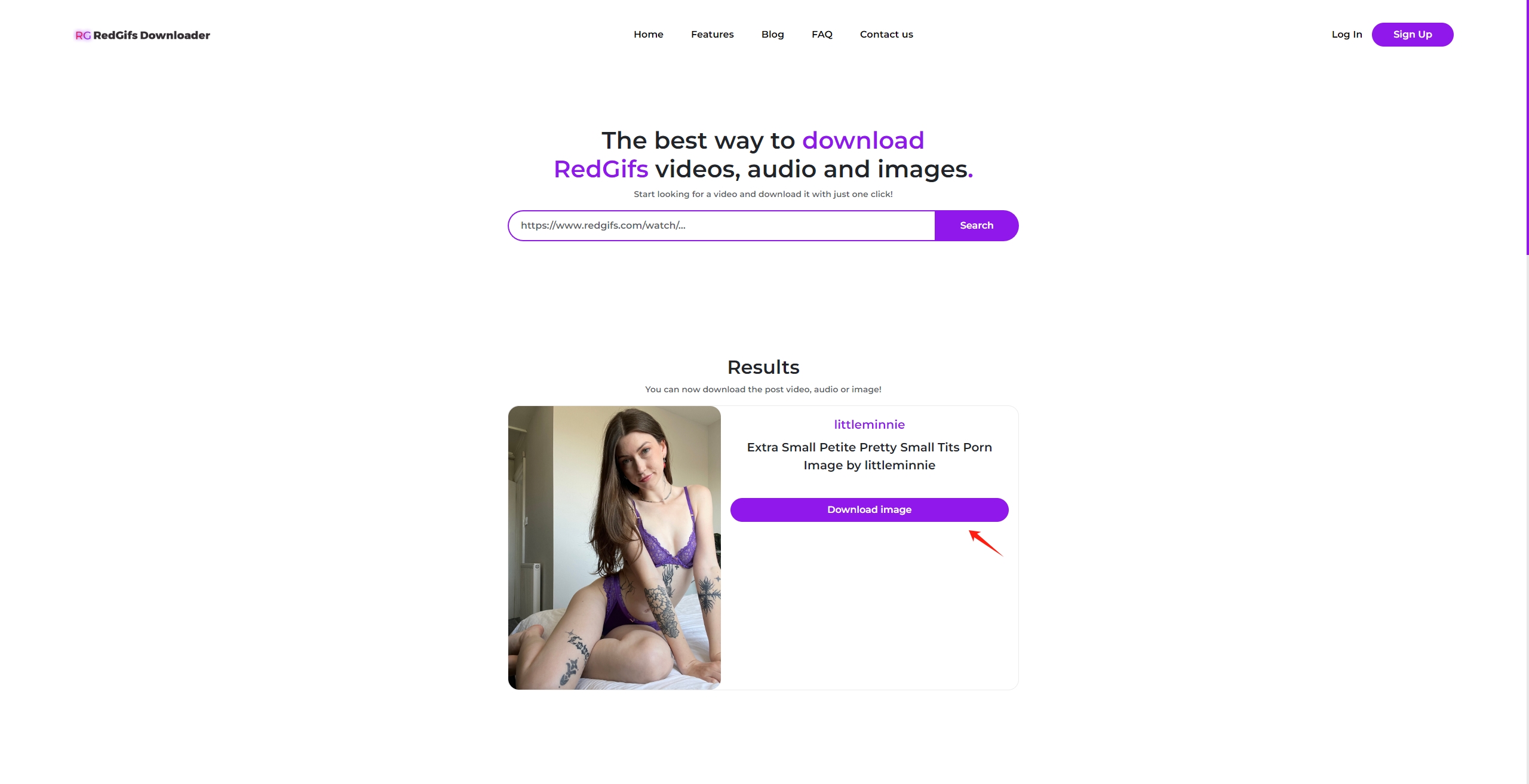
- Copy the link of the page containing the NSFW image or GIF.
- Paste it into the downloader’s search field and allow the tool to analyze and detect media.
- Select image format or resolution if allowed, then click to save the NSFW image.

優點:
- 無需安裝
- Good for occasional downloads
- Supports various file types and GIFs
缺點:
- May fail on sites with login walls
- Unreliable on heavily protected or private content
- Often limited by ads or speed caps
Online downloaders are convenient for quick tasks, but not the best choice for large-scale downloading or galleries with many images.
4. Using Image Downloader Extensions
Browser extensions are one of the most effective ways to download NSFW images and GIFs, especially when dealing with galleries, creator posts, or long scrolling feeds.
Best Image Downloader Extensions:
- Imageye – 影像下載器
- Fatkun 批量圖片下載器
- 下載全部!
使用方法:
- Install your preferred extension on Chrome, Firefox, or Edge.
- Open the page containing the NSFW images or GIFs.
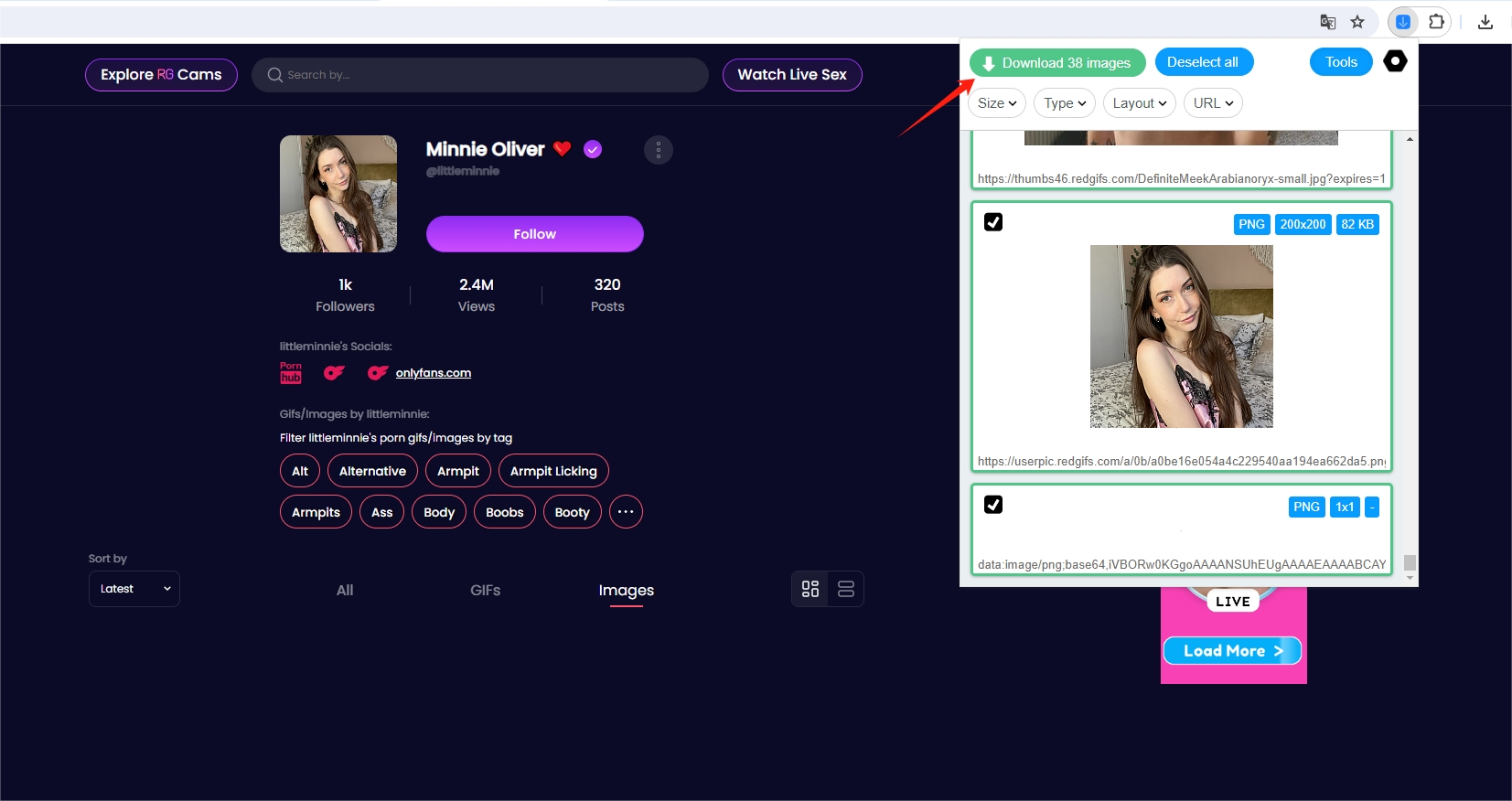
- Click the extension icon in your browser toolbar and let the extension scan the page for media.
- Select the images or GIFs you want, or choose download all files.

優點:
- Great for bulk image downloads from a page
- Works on many adult sites and creator platforms
- Can filter by file size, resolution, and format
- Much faster than manual downloading
缺點:
- Not support URL list
- Some sites load images dynamically (extensions may miss them)
- Not all extensions support GIFs properly
- Not ideal for private, protected, or large content collections
Image downloader extensions are a solid middle-ground solution—powerful enough for medium-sized galleries but not suitable for huge libraries or sites with heavy content protection.
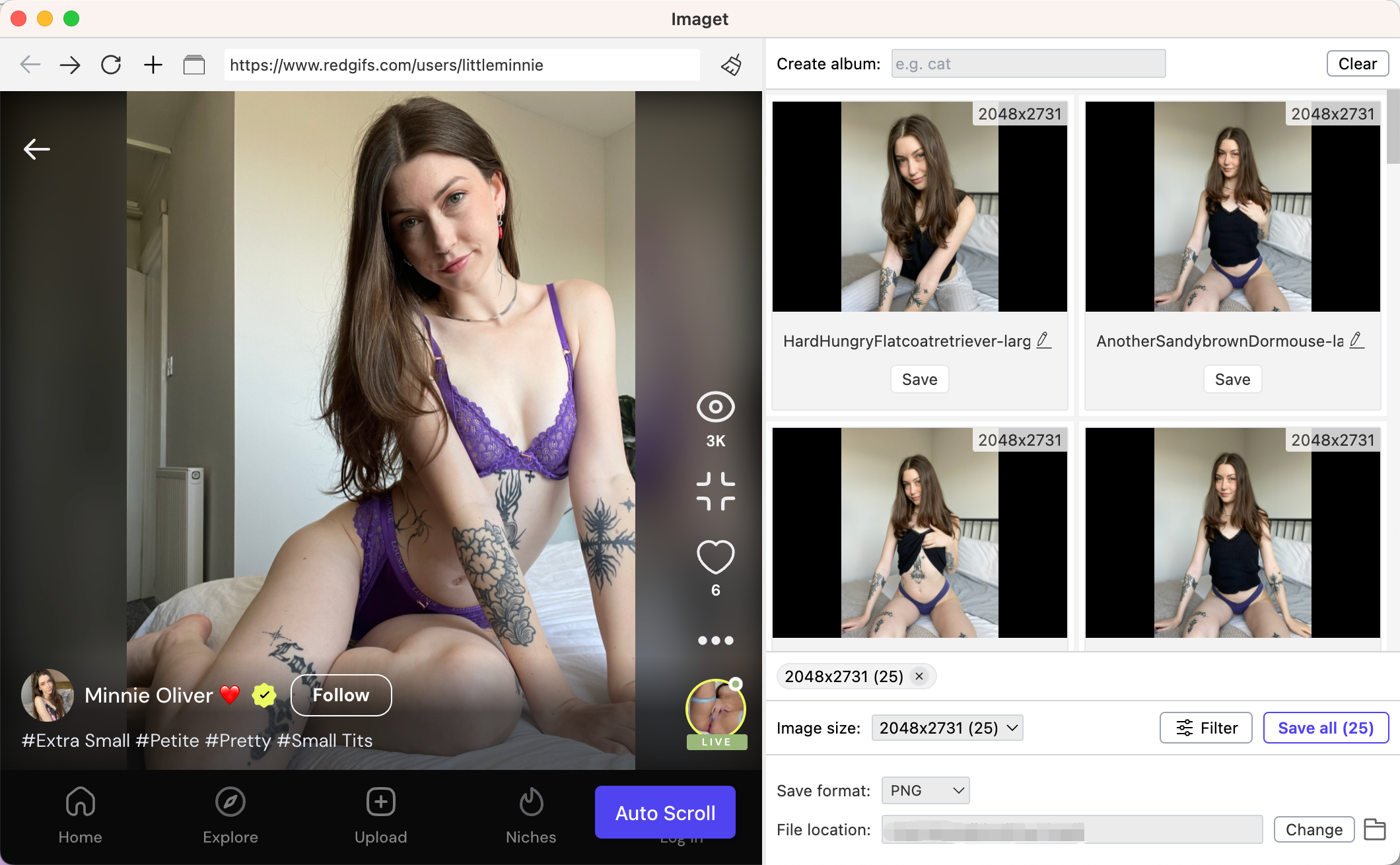
5. Advanced Bulk Download With Imaget (Best for Large NSFW Collections)
When you need to download hundreds or thousands of NSFW images and GIFs, browser extensions and manual methods aren’t enough. Many NSFW sites load content dynamically, hide media behind scripts, or paginate content, forcing users to scroll for hours. This is where Imaget becomes the preferred solution.
Imaget is a professional bulk image and GIF downloader designed specifically for high-volume media downloading. It supports thousands of sites, including adult platforms, social networks, and personal galleries.
主要特點 Imaget :
- Works on all image hosting websites
- Bulk download thousands of images and GIFs at once
- Supports downloading from multiple URLs
- Auto scroll page to detect original resolution files and thumbnails
- Filter preferred images & gifs based on their formats and resolutions
- Fast download speeds optimized for large archives
How to download NSFW images and gifs with Imaget :
- 前往 Imaget website and download/install the tool on your device.
- Copy the URL of the page containing the NSFW images or GIFs you want to save, then paste the link into Imaget ’s URL box and let the tool scan the page.
- Choose the media types you want to download, then select quality and format options if available.
- Click “Save all” to download the selected NSFW files to your preferred folder.

六、結論
Downloading NSFW images and GIFs can be simple or complex depending on the platform and the number of files you need. Basic methods like right-click saving and screenshots work for individual images, while online downloaders and browser extensions are great for medium-sized tasks. But when you need to download large galleries, long feeds, or thousands of NSFW images and GIFs efficiently, Imaget is the best tool available.
Imaget saves time, preserves quality, supports bulk downloads, and organizes everything automatically—making it the ultimate solution for anyone who wants a clean, fast, and reliable way to download NSFW media.