How to Download Free Stock Images from StockSnap?

High-quality images play an essential role in modern content creation. Whether you’re building a website, designing marketing materials, writing blog posts, creating social media content, or developing presentations, professional-looking visuals can dramatically improve engagement and credibility.

One of the most popular sources for free stock photography is StockSnap. The platform offers thousands of high-resolution images contributed by talented photographers worldwide. Best of all, most images are available for free download and can be used in both personal and commercial projects.

While it is easy to download a single image from StockSnap, users who require bulk image collection typically seek more efficient and time-saving approaches. In this guide, we’ll explore several ways to download free stock images from StockSnap, including basic download and advanced batch downloading tools.

1. Download Free Stock Images from StockSnap Manually

The easiest way to download images from StockSnap is directly through the website.

腳步:

  • Open your preferred web browser and navigate to the StockSnap website.
  • Use the search bar to find images related to your topic.
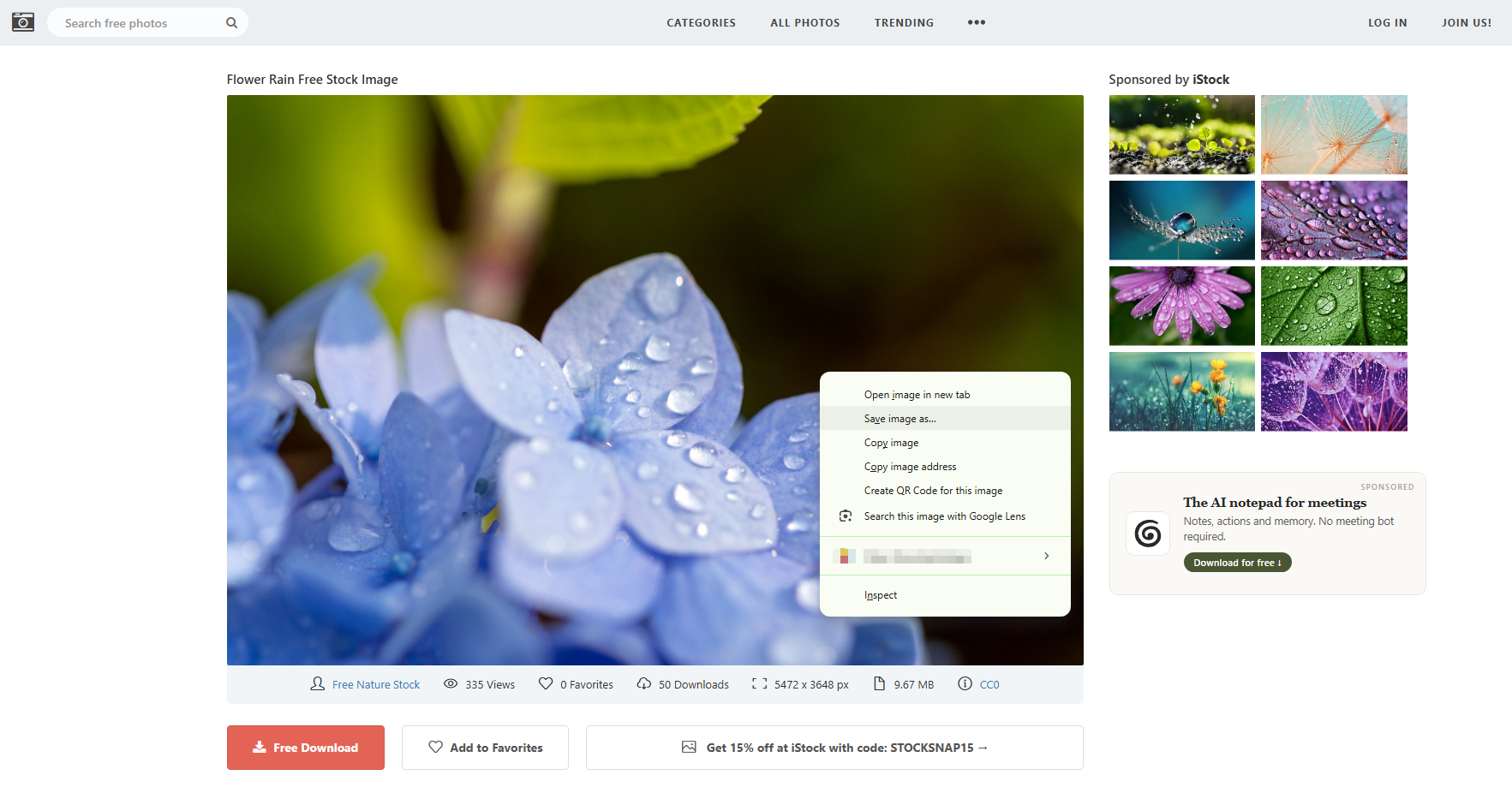
  • Right click on the StockSnap image you want to download and select “Save image as…”
  • Choose a fold and the image will immediately begin downloading to your computer.

manual download stocksnap free stock image

優點:

  • Completely free
  • No extra software required
  • Full-resolution downloads
  • Safe and straightforward

缺點:

  • Time-consuming when downloading multiple images
  • Requires opening images individually
  • Difficult to manage large image collections

For occasional use, manual downloading is usually sufficient. However, users who need dozens or hundreds of images may benefit from more automated solutions.

2. Download StockSnap Images with Online Image Downloaders

Online image downloaders provide a quick and convenient way to save images without installing software.

熱門選擇:

  • Image Extractor Version 3.3
  • IMG下載器

腳步:

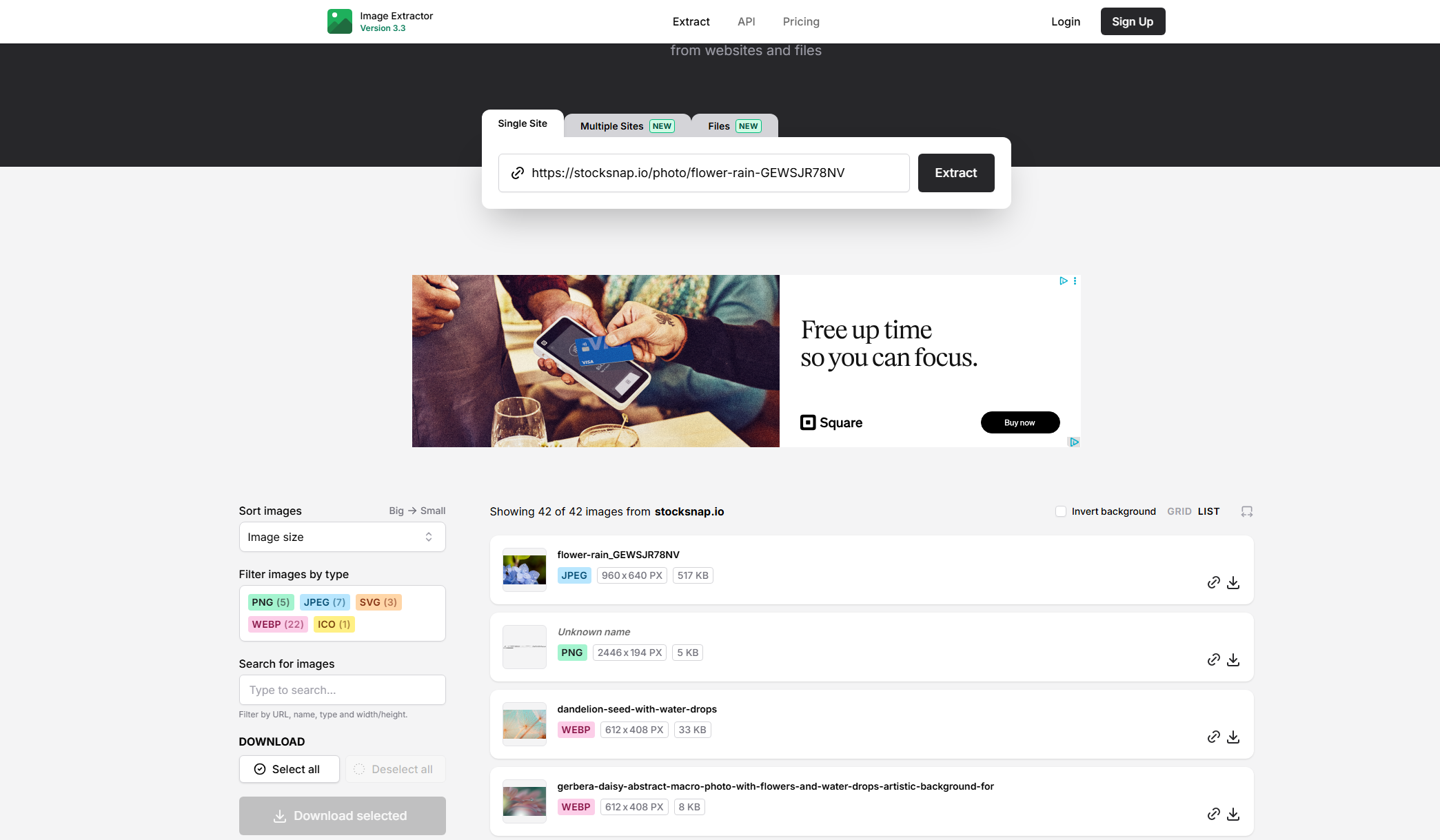
  • Copying the URL of a StockSnap image page.
  • Pasting the URL into an online downloader like Image Extrator.
  • Letting the tool analyze the StockSnap page.
  • Select and download the detected StockSnap image.

download stocksnap free stock image with online downloader

優點:

  • 無需安裝
  • 適用於大多數設備
  • Easy for beginners
  • Accessible from any browser

缺點:

  • Limited download speeds
  • Advertisements and pop-ups
  • File size restrictions
  • Inconsistent image detection
  • Usually support only one image at a time

Because of these limitations, online tools are better suited for occasional downloads rather than large-scale image collection.

3. Download StockSnap Images with Browser Extensions

Browser extensions offer another convenient method for downloading images from StockSnap.

熱門選擇:

  • HImage
  • 影像眼
  • DwnloadThemAll!

Image downloader extensions scan the current webpage and identify image files that can be downloaded.

腳步:

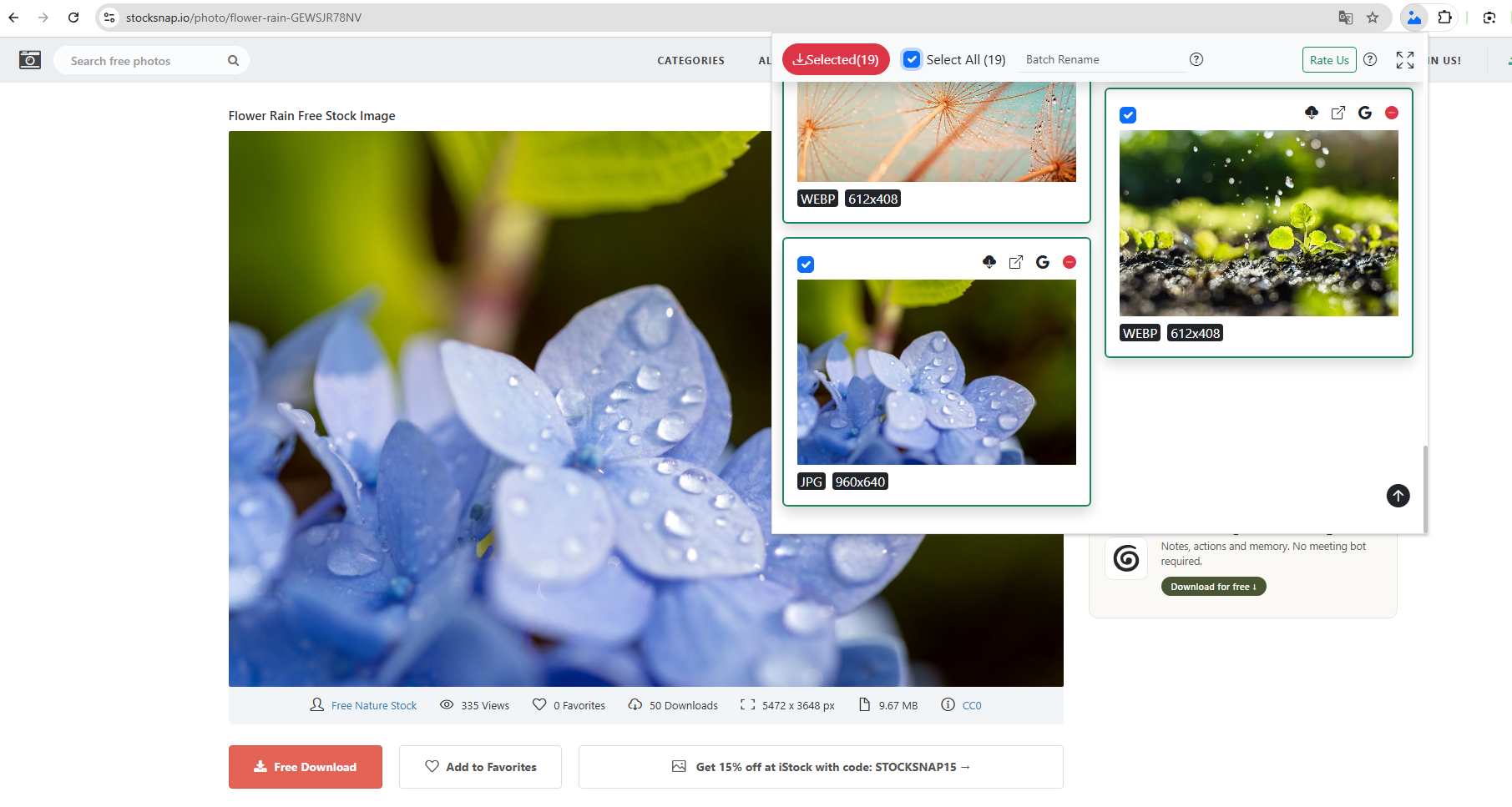
  • To get started, install a browser extension like HImage in your browser.
  • Open a StockSnap page, click the extension to start detecting images.
  • Preview detected images, select the files you want and download them directly.

download stocksnap free stock image with extensions

優點:

  • 比手排下載速度快
  • 直接在瀏覽器中運行
  • Can detect multiple images on a page
  • No need to copy URLs

缺點:

  • Performance may decrease on image-heavy pages
  • Some extensions have download limits
  • Certain websites may block image detection
  • Browser updates can break extension compatibility
  • Limited file organization features

For users who occasionally download image collections, extensions can be a useful middle-ground solution.

4. Advanced Batch Download StockSnap Images with Imaget

If you frequently download stock photos from StockSnap or other image-sharing websites, a dedicated image downloader provides the most efficient workflow.

Imaget is designed specifically for discovering, filtering, previewing, and downloading images in bulk. Compared to online tools and browser extensions, Imaget offers more advanced features for collecting and managing large-scale image downloads.

Key features of Image include:

  • Download images from multiple websites at scale
  • Capture original-resolution images automatically
  • Detect all images from list of URLs
  • Filter and select images by size and format
  • Export to PNG, JPG, WebP, or native formats
  • Access subscription-based galleries with the built-in browser

These capabilities make Imaget especially useful for:

  • Bloggers
  • Designers
  • Content creators
  • Researchers
  • Digital marketers
  • Social media managers

How to Download Free StockSnap Images with Imaget :

  • 下載並安裝 Imaget downloader on your Windows 或者 Mac 電腦.
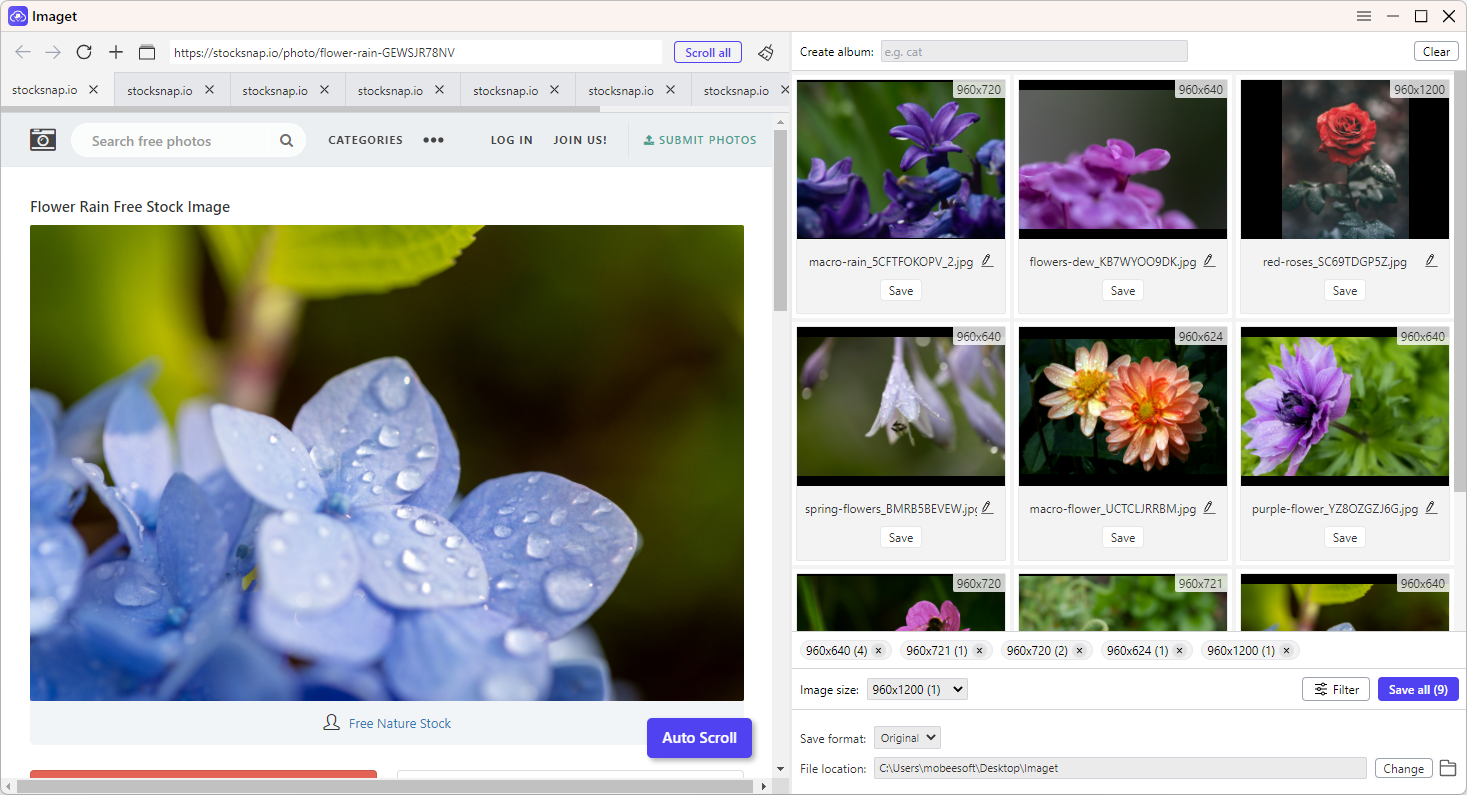
  • 發射 Imaget and navigate to the StockSnap page(s) containing the images you want to save.
  • 讓 Imaget auto scroll to analyze the webpage. The software automatically detects available image files and displays them in a visual gallery.
  • 使用 Imaget ’s filtering tools to narrow results by: width, height, resolution and file type.
  • Select a download folder and output format, then download all chosen StockSnap images in one click.

bulk download stocksnap images with imaget

5. 結論

StockSnap is an excellent resource for finding free, high-quality stock photography for blogs, websites, marketing campaigns, presentations, and creative projects. The platform makes it easy to discover and download professional images without paying licensing fees.

While manual downloads work well for occasional use, users who frequently collect images may find online downloaders and browser extensions more convenient. For the most efficient experience, especially when working with large image libraries, a dedicated downloader offers significant advantages.

If you’re looking for a faster way to collect, organize, preview, and batch download StockSnap images, Imaget is a powerful solution. From advanced image filtering and previewing to batch downloading and file organization, Imaget provides everything needed to streamline large-scale stock photo collection.